
 Auckland, New Zealand
We’ve just completed an upgrade to the forum. You may notice that a few things are different:
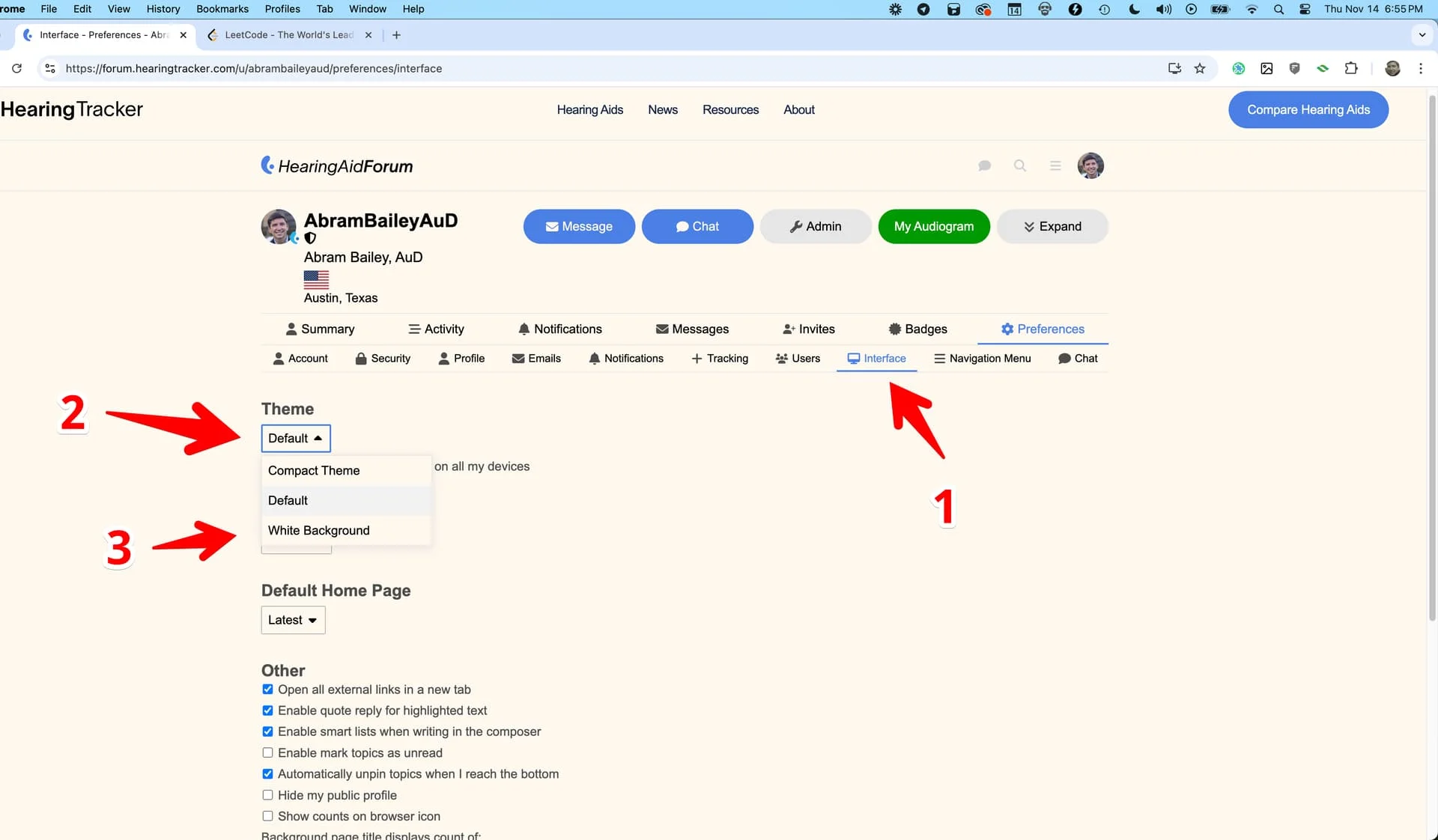
- Background color: we’ve applied a background color that matches the background color we use on our main website www.hearingtracker.com17. You can change the background color by following the steps outlined below (after the login instructions)
- Navigation and logos: The main navigation bar has been updated as well. We know the double logo is a little awkward, and I’m thinking about how to solve that one. In the meantime, just know that the HearingAidForum logo brings you to the front page of the forum, and the HearingTracker logo brings you to the main website.
- Functional changes: You may notice some other changes, which are primarily due to upgrading the underlying forum software we use, Discourse (here’s a guide7 for new users).
- Logging in: In the past, when you tried to register or sign in, you were sent to our main website. We have decoupled the two websites, and now this is all managed from within the forum. If you are an existing user, hit the blue “Log in” button at the top of your screen and reset your password to gain entry again. You will be reconnected to your existing account. Note that you can now use “magic” email links (passwordless login) or passkeys, if you prefer. If you have any trouble logging in and need help, please email info@hearingtracker.com for assistance. See also: Trouble logging in?
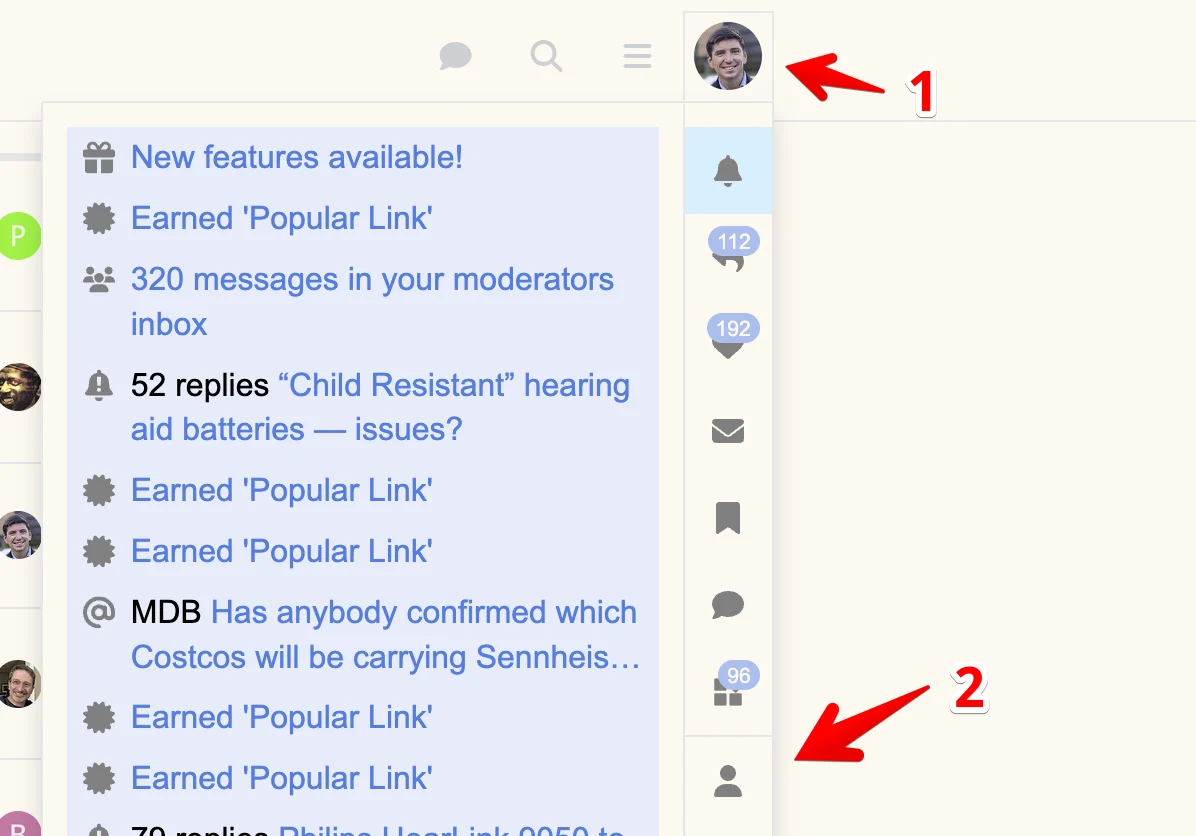
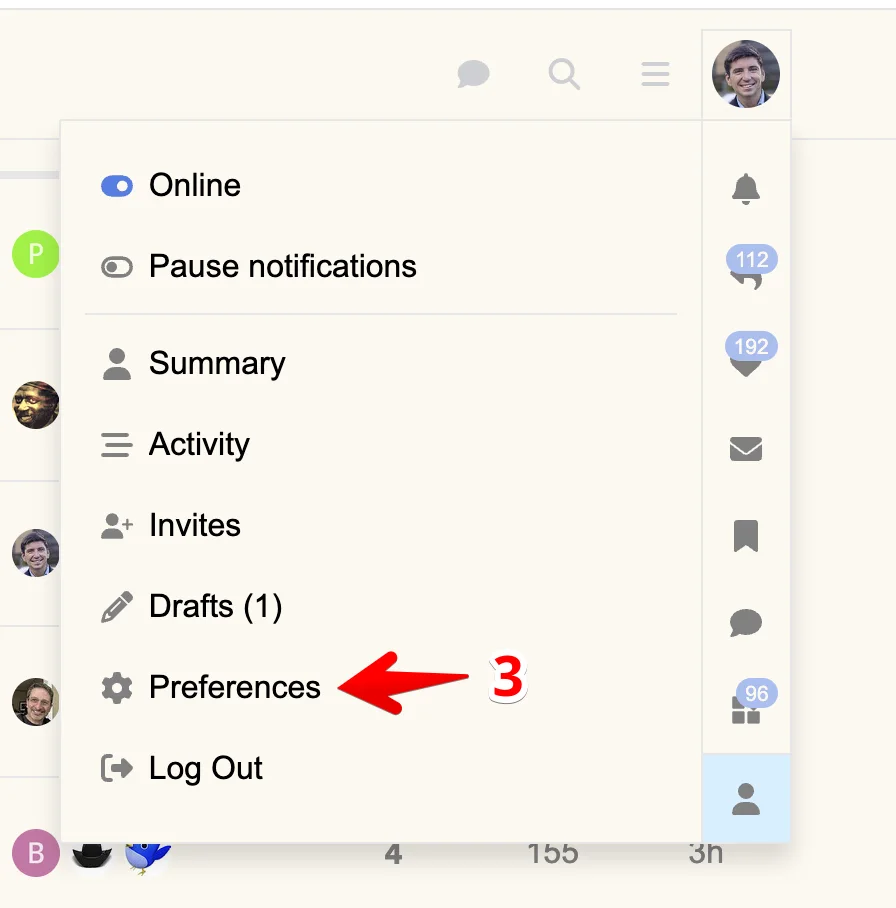
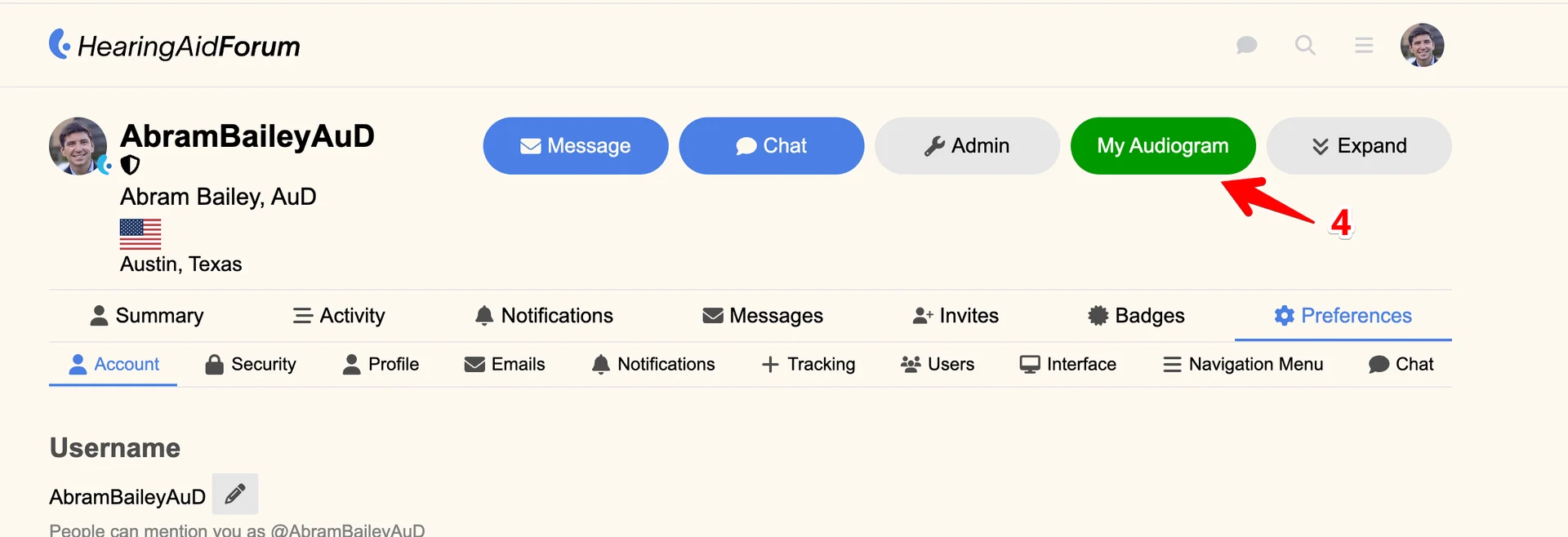
- Adding/Editing : Audiograms are also now updated inside of the forum. To get there, follow the steps below:
You’re ignoring this member’s posts.



 Cleveland Ohio USA


 Scottish Borders
