
 Chicago
Hello Programmers,
What is everyone’s level of experience using the Automatic Fine Tuning feature built within Phonak Target?
In an attempt to improve my performance in background noise, and in response to a question from @olli1970 today I did some experimentation with this feature.
Not that it matters, my fitting formula is Adaptive Phonak Digital Contrast 3.0; compression is Semi-Linear and SoundRecover2 is off. The changes a user makes to his fitting would be customized to his fitting.
Use the drop down menus at the ‘Automatic Fine Tuning’ tab. The text in brackets states the expected results of performing the action.
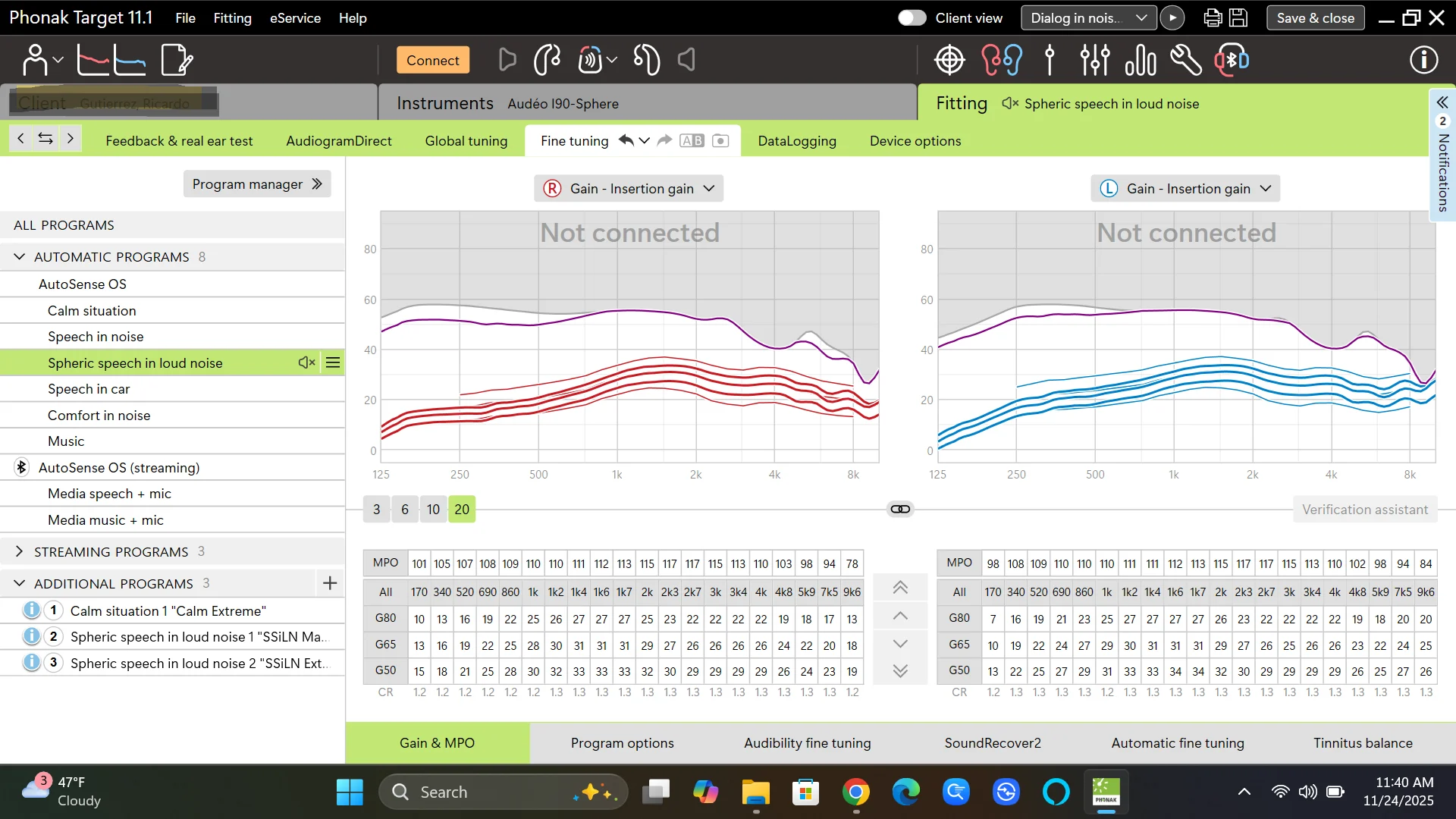
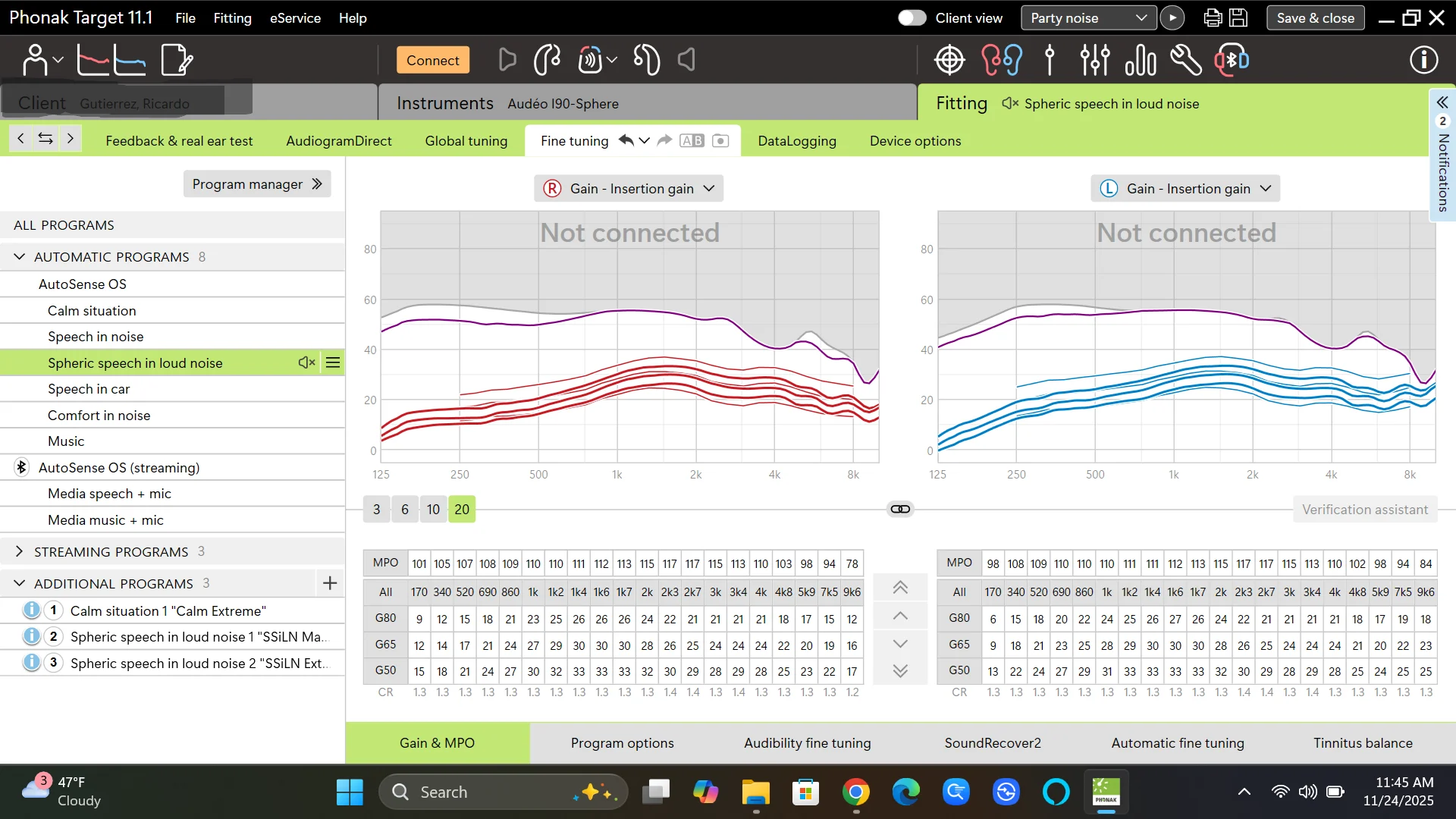
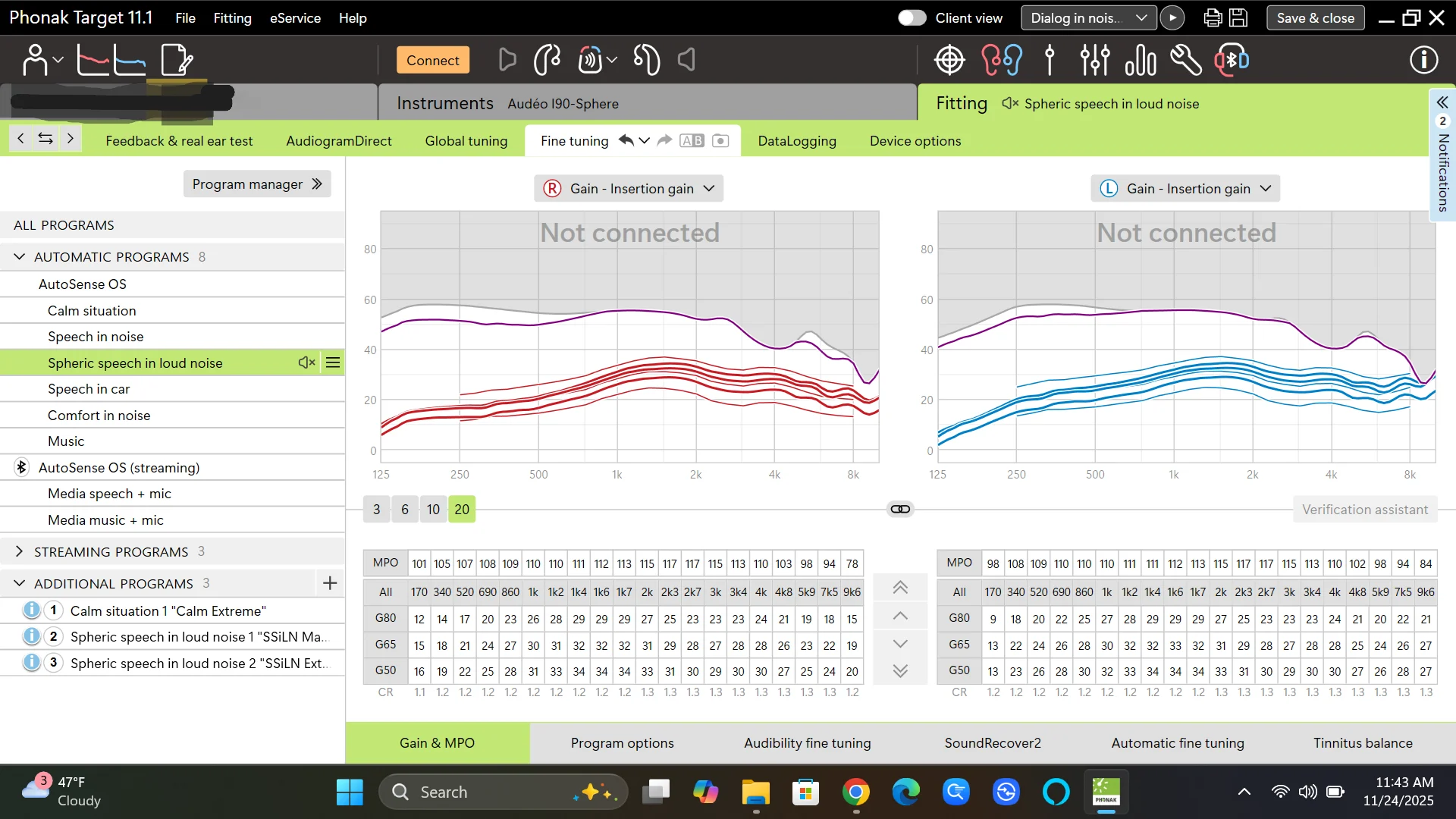
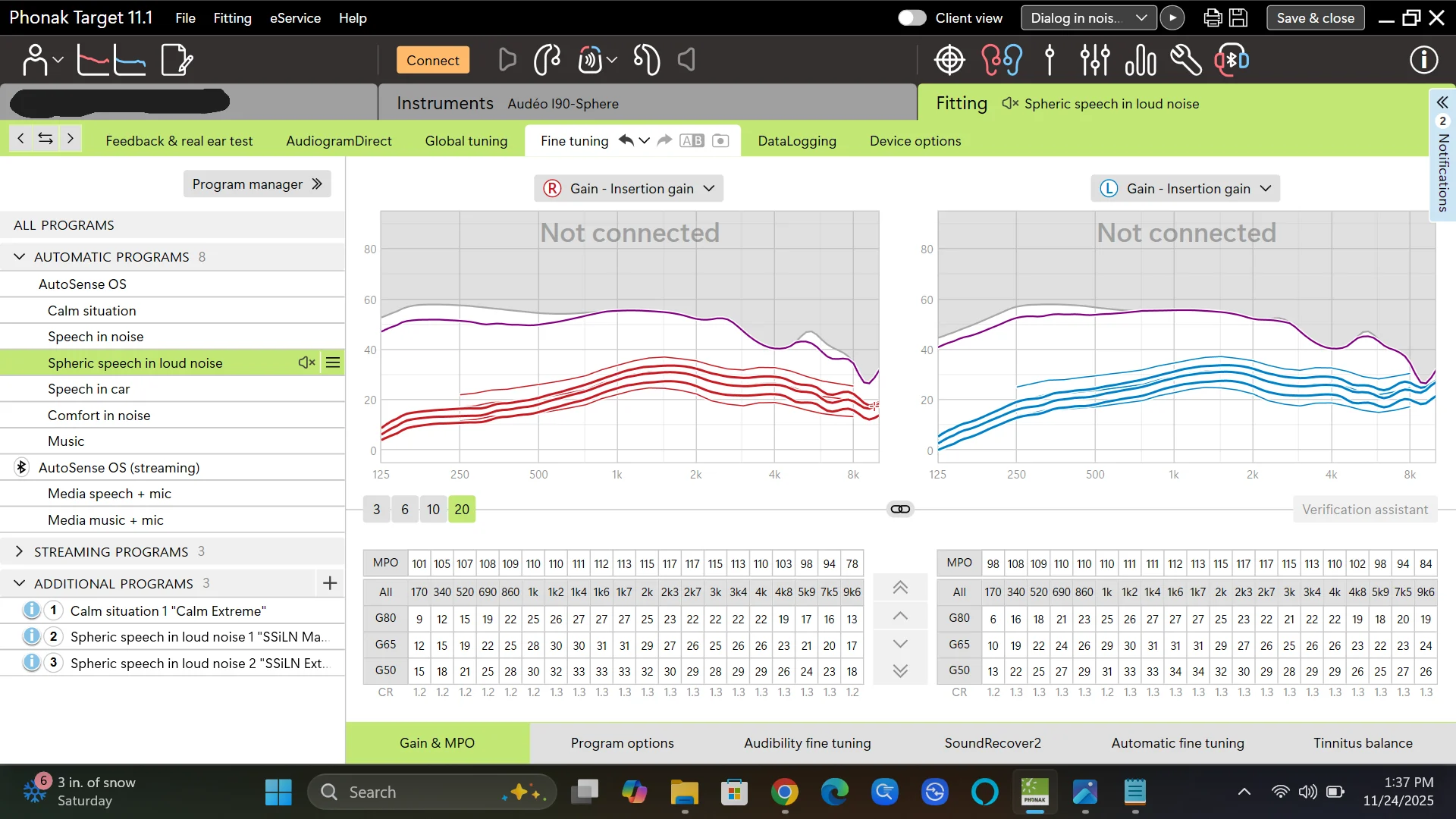
Posted are 4 screenshots.
- The un-altered fitting in Spheric Speech in Loud Noise (SSiLN) program
- Post execution - Select type - Speech - Speech in Party Noise ==> Overall Too Soft ==> FIX
[Increase gain for speech in party noise at all frequencies] - Post execution - Select type - Speech - Speech in Party Noise ==> Background too loud ==> FIX
[Reduce gain and compression for speech in noise especially in the low frequencies] - Post execution - select type ==> noise - party noise ==> Overall too loud ==> FIX
[Reduce gain for party noise at all frequencies]
As you can tell by the change of gains in the screen shots, there is no clear cut, simple answer to the question how can I improve my hearing aids performance in background noise. There are changes in all gain levels and all frequencies.
Does anyone know, when an audiologist fine tunes a pair of Phonak (No R.E.M. performed) is this the tool the audi uses?
I chose to perform option #4 on my own hearing aids for both Speech in Noise & Spheric Speech in Loud Noise programs as it appears to have more reduction in gains than option #3. I have not had a chance to test this in real time. I noted that any changes were at most 2db. In order to get meaningful results I might have to repeat the process twice.
You’re ignoring this member’s posts.