Samsung S24 with the Phillips App. Leave bluetooth off all day and can hear everyone just fine. Turn bluetooth on in the mornings and from noon to 3 and beyond, I cannot understand or hear someone 5 feet away. Several days doing this with the same results. I know Samsung S24 failed the Hearing Aid Compatibility test. Thoughts anyone?
I struggle with this on my Pixel phone too. It’s on my list of things to discuss with my audiologist at my appointment next month.
What I experience on my Pixel is that the phone tries and often fails to play “system sounds” via the hearing aids. As these are played, the hearing aids “duck” (lower the volume of) ambient sounds in favor of the system sounds streamed from the phone. If it fails, as it sometimes does, the hearing aids can seem unbalanced or even reboot. Very annoying.
What I can do today.
Option 1. What you do: turn off Bluetooth. This breaks the connection from the phone to the aids. The hearing aids, now unburdened from having to deal with streaming, work great. But streaming is gone and you can no longer control your hearing aids from your phone. Also, if you use Bluetooth for other things, e.g., connecting to a watch, that’s down too.
Option 2. My current preferred option. Tell your phone not to stream to your hearing aids. The good news here is that you can still use the companion app to adjust your aids, and the aids are unburdened from streaming. Sound that used to stream to your aids (key presses, notifications, music, etc.) now plays reliably through your phone’s speaker, and your hearing aids may be more reliable as well. But streaming is gone.
Option 3. What I want to discuss with my audiologist: Is there a hearing aid setting that prevents the ducking of ambient sounds when the phone plays a system sound? I think this would be useful, to just mix in the streamed sound with what you would hear if nothing was streaming. This may also prevent the unbalanced feeling if only one aid can play the streamed sound, but won’t help if one of the aids decides to give up and reboot.
Option 1 is easy. Just turn off your phone’s Bluetooth.
How do you do Option 2? On a Pixel phone, you do it like this (maybe Samsung has something similar).
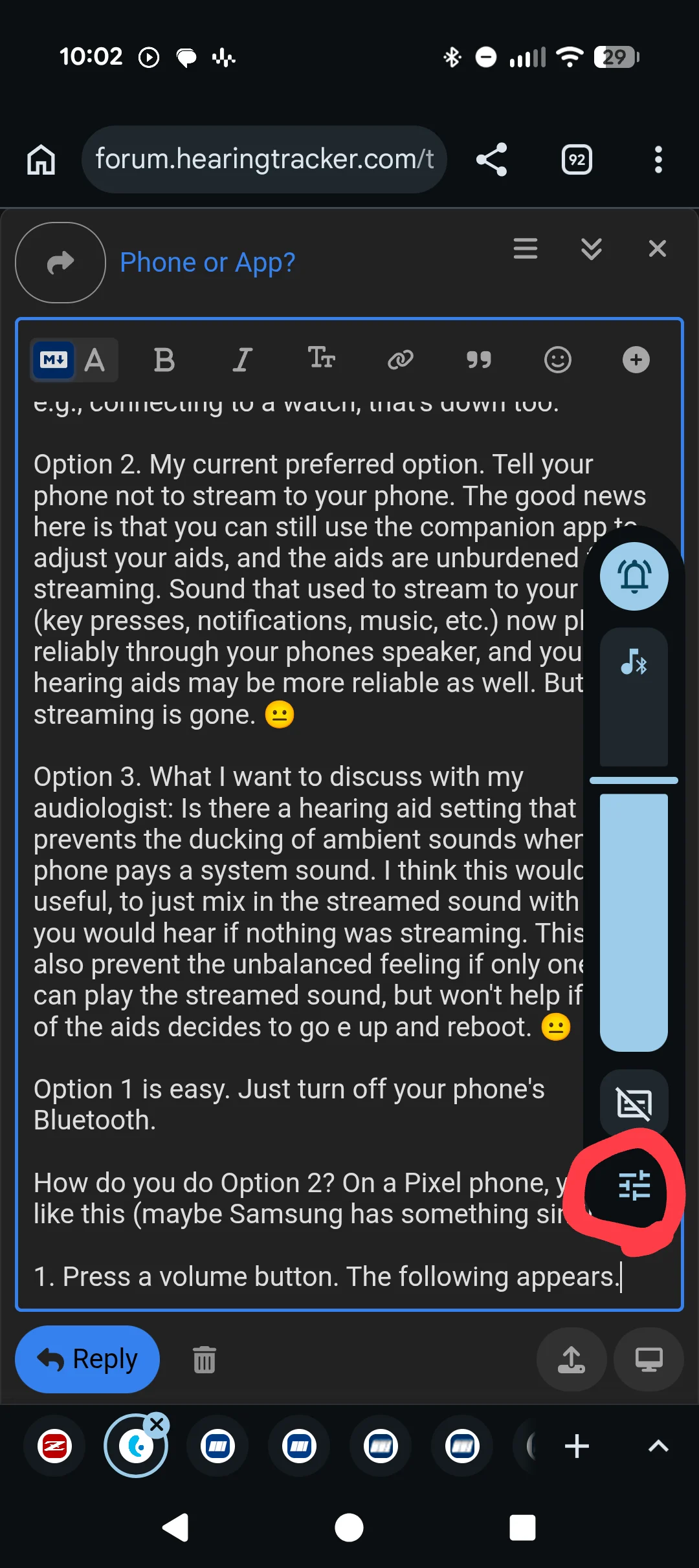
Press a volume button. The following appears. Tap the button circled in red.
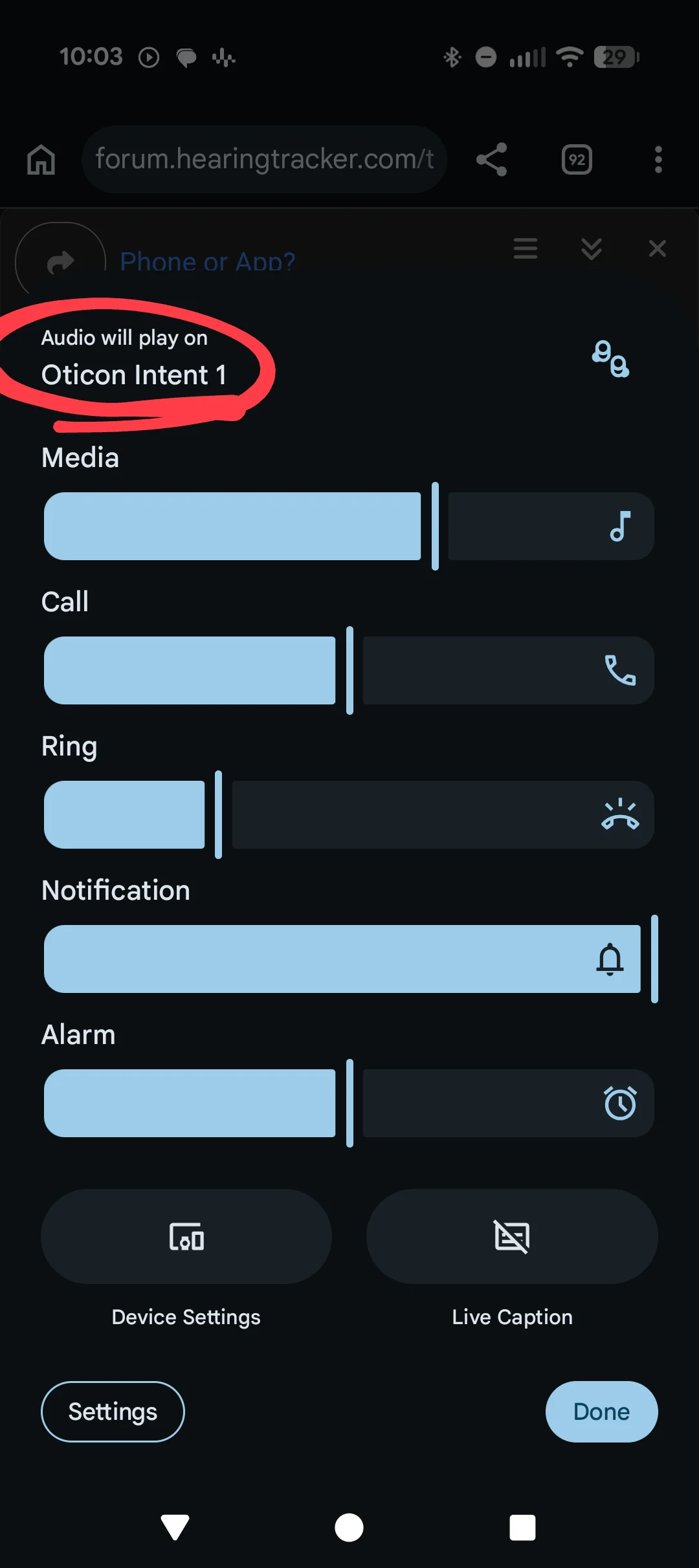
The following screen (or similar) appears. Tap the “Audio will play on” area circled in red.
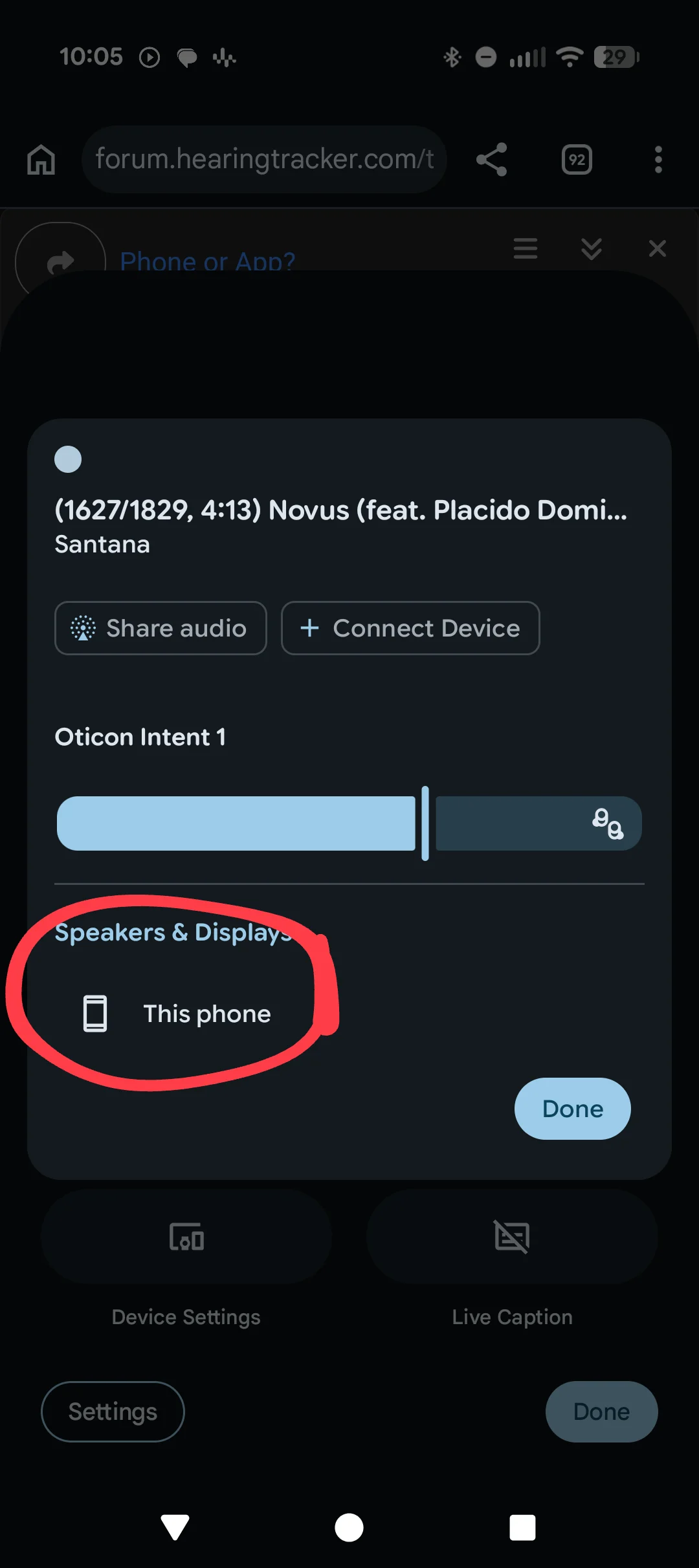
The following screen (or similar) will appear. Tap on this phone.
Tap Done.
At this point all the streaming (system sounds, notifications, music) will play from your phone, and the hearing aids, which can still be controlled from your phone because Bluetooth is still on, and unburdened from the streaming load, can do their job efficiently.
To undo this, repeat the steps, and choose your hearing aids rather than “This phone.”
Option 3 I think is possible. If you program your hearing aids you can explore options for this, or perhaps another forum member can share their insight. I plan to discuss this option with my audiologist next month.
One final comment. These instructions are for a Pixel phone. I don’t have a Samsung phone, so the steps may be a little different. If you try it, please share your experience.

 San Diego, CA, USA
 Also, if you use Bluetooth for other things, e.g., connecting to a watch, that’s down too.