My phone is a Samsung S24 Ultra. If my Jabra Enhance Pro 30 only has one main program (and no additional programs like “Hear in Noise” or “Outdoor”), it connects smoothly with the Enhance Pro app on my phone. However, as soon as I add a second program (such as “Hear in Noise”) to the hearing aids, the Enhance Pro app can no longer connect—it shows a red “disconnected” status.
Meanwhile, the Bluetooth settings on my phone still show that the hearing aids are connected. In the Enhance Pro app, when I try to “find my hearing aids,” it can still detect their location.
Has anyone else experienced the same issue? When there is a second program in the Jabra Enhance Pro 30, the Enhance Pro app fails to connect. If I force close the app and try reconnecting, it eventually shows a message saying, “Please make sure the hearing aids are not connected to another device.”
You’re ignoring this member’s posts.
HMCKJ11 people in this conversation19 min readJump to latest↓
Yes, Costco uses “CS Smart Fit 2.1,” and I’m using “ReSound Smart Fit 2.2.” They’re basically the same, if add a second program, the Enhance Pro 30 connection shows an error.
Interesting. And you are saving and disconnecting prior to this error? Do you see this error in SmartFit or on the app once disconnected, and you are turning bt back on in your phone? I had issues when I got my new Pro 30’s because my phone still had my old original Pro’s paired and they stayed connected while un the charger. I had to go into the app settings and erace memory and cache, then uninstall, then re-install and repair to phone/app. So maybe check how many devices you have connected if this isnt a SmartFit issue. I have 4 programs active with no issues and have a S24fe.
Thank you for giving me a direction to think. The issue has now been resolved.
Since my phone interface was originally set to Traditional Chinese, the Enhance Pro app automatically switched to the Traditional Chinese version during installation. When my hearing aids had more than one program, the first connection attempt using the Traditional Chinese version of the Enhance Pro app would result in a connection error.
However, if the first connection was made while the Enhance Pro app was in English, the connection succeeded without any issues. After the connection was established, switching the app back to Traditional Chinese still worked normally without any connection errors.
Good detective work. Your experience and post will probably go on to help someone in the future having a similar issue. Always learning something new here
as soon as I add a second program (such as “Hear in Noise”) to the hearing aids, the Enhance Pro app can no longer connect—it shows a red “disconnected” status.
Meanwhile, the Bluetooth settings on my phone still show that the hearing aids are connected. In the Enhance Pro app, when I try to “find my hearing aids,” it can still detect their location.
Has anyone else experienced the same issue? When there is a second program in the Jabra Enhance Pro 30, the Enhance Pro app fails to connect. If I force close the app and try reconnecting, it eventually shows a message saying, “Please make sure the hearing aids are not connected to another device.”
I have a feeling your problem may return and the issue is the Enhance Pro App.
I have similar issues. I have not done any programming, though.
When the issue arises, the phone (Android) says that Bluetooth is connected and the App says that I am not. I will have to try the “find my hearing aids” next time it happens.
Today, after about an hour of streaming YouTube video’s This message appeared.
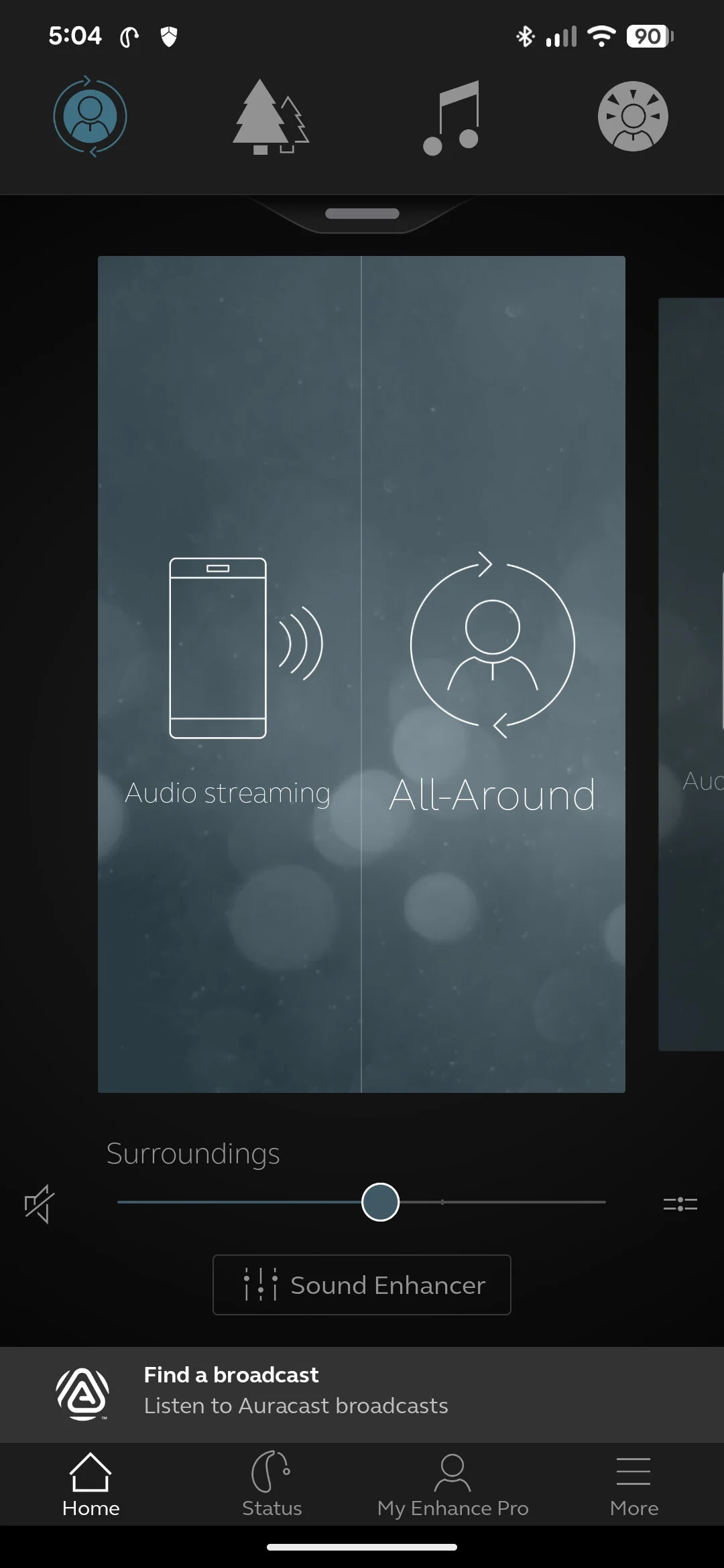
Yesterday, I had this card show on my screen. The single Audio Streaming card shows up every now and then, but I don’t have it specifically installed. This is the first time I had 2 cards show up on the same page.
I’m posting technical details, hoping that others will as well. They might help find a source of the problem.
Phone: Pixel 7 Pro with all updates
Android: version 16 build BP3A.251005.004.B1
Enhance Pro App version: 1.41.0 (47487)
Current software (firmware) version: 10.21.2.1
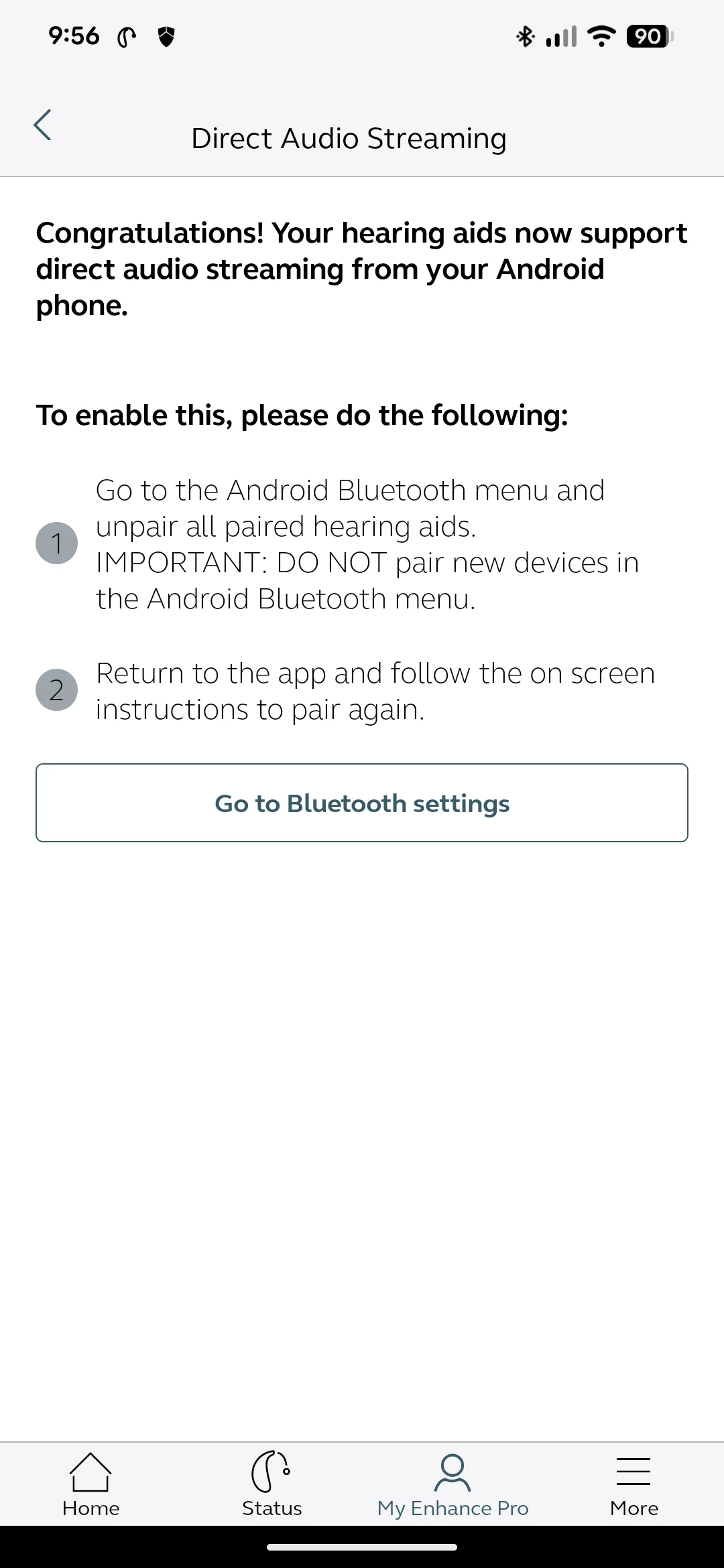
I think the issue has something to do with the warning in the first image above.
IMPORTANT: DO NOT pair new devices in the Android Bluetooth Menu.
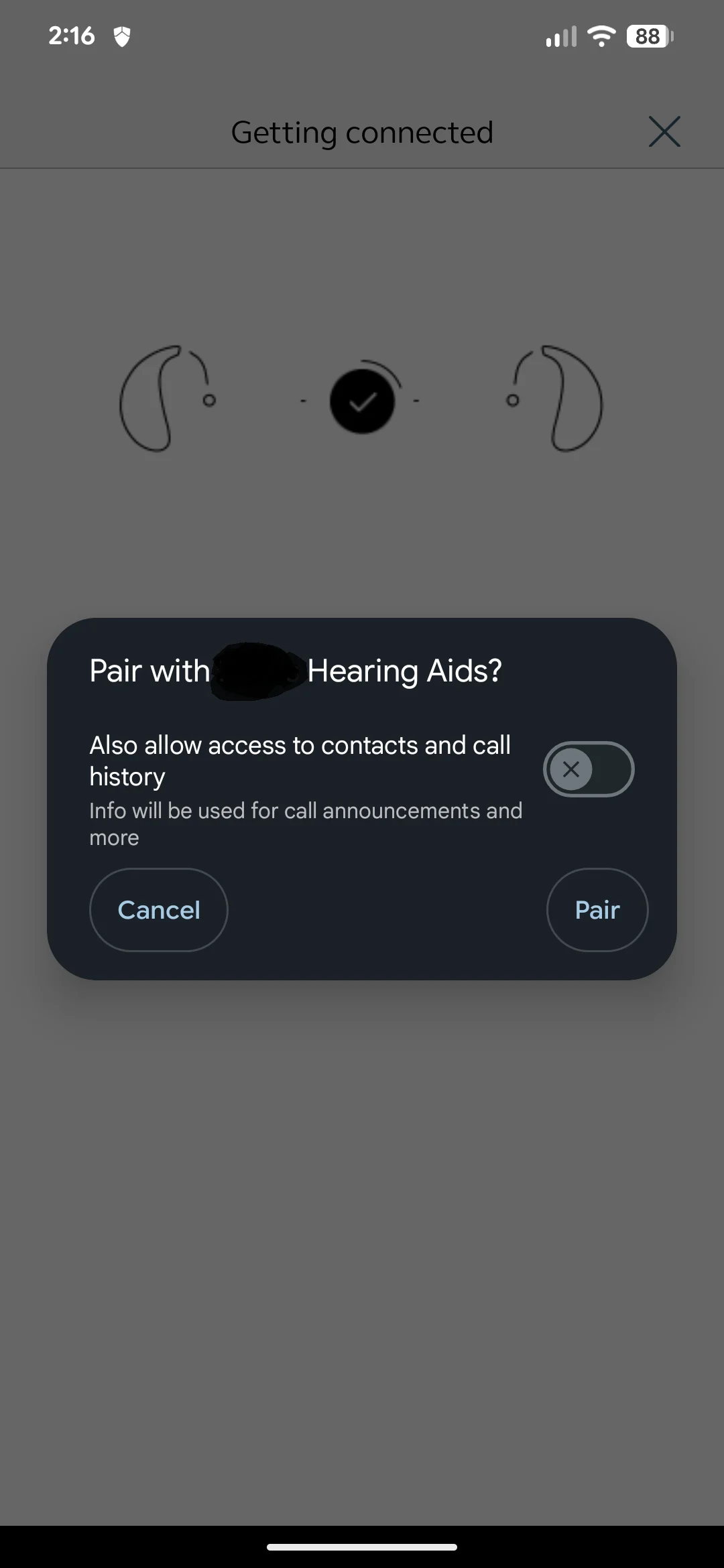
It took me about an hour of repeatedly following the onscreen instructions, unpairing and running the app through the pairing process. It is almost as if Android and the App both want a piece of the pairing but they are not sharing it nicely. This screenshot implies that they intend for the two to work together.
FWIW, I am currently working with Google’s Disability Support team trying to find out where the disconnects are happening. I uploaded a Bluetooth HCI snoop log and they confirmed there is a problem and they have forwarded the issue on to an internal team to do some further investigation and testing. They indicated that may take some time.
My $$ will go on there is an issue with the Enhance Pro App.
I’ve never seen two cards appear on the screen at the same time. When streaming audio, it only shows “Audio Streaming” under the All-Around program (regardless of which program is selected), and I never see both “Audio Streaming” and “All-Around” displayed together. Maybe try reinstalling the Jabra Enhance Pro app and see if that helps.
I use iPhone rather than android, but I have often seen the two mode screen. It means that the app thinks the left hearing aid is receiving streaming and the right hearing aid is not receiving streaming, but is in All Around surroundings mode. Stopping the app and restarting it usually sorts it out immediately.
When streaming audio, it only shows “Audio Streaming” under the All-Around program (regardless of which program is selected), and I never see both “Audio Streaming” and “All-Around” displayed together.
Do you have “Audio Streaming” installed as a card / program or does it just come up when you are streaming?
Interesting, after reading your post, I looked at my images above and I see on the one with both the “Audio Streaming” and “All Around” showing as a single card on the screen that it also shows that the “All Around” is selected in the row of icons at the top.
It seems to me that the “Audio Streaming” is a generic card that is installed for everyone. Maybe that is intended for the user to retain their last settings.I wish that GN could write a better manual.
Maybe as a group we can create one in a wiki type fashion here in the forums.I have the same thoughts on the charger(ing) and the hearing aids themselves.
Here is a weird one. I noticed this happened this afternoon.
I had switched to the outdoor program to quiet the noise of the street and the noise was pretty loud in my right ear. I thought that maybe the card switched back to All Around when I had put my phone back in my pocket.
Anybody ever seen different cards open for different ears before?
Yes. I’ve seen this on mine but only when streaming where only 1 aid stays streaming. I think the app is confused and usually just closing and reopening app cures it.
Hello All! I have many ongoing issues between my Motorola 5G 2024 Android, the Jabra Enhance Pro 30 ’s that I have and the EnhancePro App. Connection issues are ongoing and very frustrating. Without repeating the above posts, I have experienced all of the connection issues posted. As frustrating as it is, my biggest whine with my setup is that audio streaming of any kind is garbled and broken. It is not possible to follow a phone conversation due to the words that don’t come through cleanly and music audio is totally not tolerable. The Motorola phone meets ALL 0f the specifications required for streaming audio and even has settings to improve the hearing aid experience (they don’t seem to help, unfortunately). I have the Resound SmartFit 2.1 software and I am fumbling with the settings there to see if something/anything will improve the streaming quality. Unfortunately I haven’t found the key to the solution yet. It seems that there are several users among us having the same issues and problems. I am hopeful that the software tweaks from the App. owners will resolve some of the concerns. Cheers and Thanks, Mike
I had an older S20 that had many connectivity issues with my Jabra’s. When I purchased a new S24fe all issues resolved and I never have issues now. So im guessing even though your phone may be on the compatibility list (my S20 was) the phone is the issue, not the aids or SmartFit.
Yup, on that page as well. I’m trying to figure out how to afford a newish phone that will be more technologically advanced and able to handle the Enhance app and Jabra ’s. I might actually change brands from Motorola to ???
Most Moto phones do not support A(ndroid) S(treaming) for H(earing) A(ids), but the 2024 Moto 5G does claim to support , so the phone should work for you. Since Moto is new to ASHA, it’s entirely possible they released the phone with an error in the ASHA programming. Your Moto should work, but a new phone may be a better choice. I just bought a Pixel 9, and streaming, connecting to my TV streamer, phone calls just worked out of the box. (I spent hours on getting my app to work, but that was my error entirely.)
Now - early November - is historically a good time to buy a new phone. Check, for example, Consumer Cellular, Mintmobile.com2, usmobile.com. All offer good prices on selected Pixels. Samsungs are more expensive, IMO, but I didn’t look closely at Samsungs, because I don’t like their bloatware, and even a Pixel is too fast for me. The phones are temporarily locked, but the locks expire in 30 (usmobile) or 60 (mint) or 180 (Concumer) days. Those 3 sites are selling selected phones in sealed boxes for less than used prices.
If the good prices go away, used phones are eminently viable choices. I’ve bought used phones from ebay and swappa.com. Backmarket.com offers a year’s warranty with their used phones. Between my wife and I, we’ve gotten at least 20 years of trouble-free service from used phones. I’ve bought only Samsung Galaxy S or Apple used phones classified by their sellers as ‘mint’, ‘excellent’, or ‘very good’. I’d be afraid to buy phones from other manufacturers, but that may be a crazy limit, and I’d be afraid to buy a phone in worse condition, which I don’t think is crazy at all.
Also, I recommend making sure a new phone is -capable. bots tell me Pixel 7a, 8a, and 9a are NOT auracast phones, even though they have 5.3 and even though ReSound says they work the same as 7, 8, and 9 pixels. I don’t know what’s up with that.
Good luck getting the promised usability from your phone and HAs.
BTW, I have no experience using auracast because my aids don’t support it. I’ll probably get new HAs in January, though.
To be explicit, the pricing is for the US, not Canada. I tried to figure out pricing Canada, and … boy, your phone prices are high. I know nothing about pricing in Taipei, and I’ve forgotten most of my Chinese.


 Surrey, UK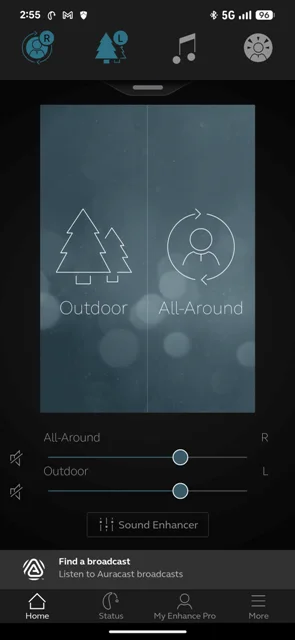
 Albuquerque, NM