
Hi @jim_lewis. All valid possibilities. There’s some chatter around the Apple forums around this stuff. No-one knows anything. Personally I think they’re just trying to tick me off!
You’re ignoring this member’s posts.
1.3k replies80.3k viewsLast reply
Hi @jim_lewis. All valid possibilities. There’s some chatter around the Apple forums around this stuff. No-one knows anything. Personally I think they’re just trying to tick me off!
You’re ignoring this member’s posts.

Perhaps another possibility is that Apple didn’t want to hand over any iPhone 14s before release to anyone like ReSound, Oticon, Widex, etc.
I think the way it works is that Apple provides software development kits for upcoming models, under NDA, to companies that they accept as needing them. But no-one can announce anything until after Apple does. So Resound will announce the Omnia as compatible with iPhone 14 models soon.
You’re ignoring this member’s posts.

My take is that keeping phone compatibility lists up to date is not a priority of hearing aid companies. They often lag by several months or more.
You’re ignoring this member’s posts.
For those that really like to geek about this, the NRF connect app now has a section that tells if the device supports ! Progress is definitely coming. If anybody has phones that support 5.2 or 5.3 and have the app, I’d be curious to know if any show they support LE audio. I have a Samsung Galaxy S10e and since it only has BT 5.0, as expected it does not support.
You’re ignoring this member’s posts.
You’re ignoring this member’s posts.

I don’t remember if you have iPhone or Android, in the App Store or Google play store search for NRf connect
You’re ignoring this member’s posts.

I found the app and installed it easily enough in the app store (iPhone) but don’t see in the app where the bt capability status is. I see lots of devices on the air. I know my old iphone 12 won’t do 5.3 but it is interesting to keep up with tools.
WH
You’re ignoring this member’s posts.
I didn’t either. I have a nephew that does development for Apple and I asked him about the bluetooth because of connectivity issues that I use to have when I was using the Oticon app. He emailed me and I got it this morning he wasn’t straight forward with an answer but he said that I would see improvements bluetooth after the IOS16 update which by the way is noon central time Monday for me. He knows I have the iPhone 13 but didn’t explain what he meant. After doing hardware and software for a number of years I know that integrated circuits can be created that can be firmware updated. And I have seen a lot of products get called brand new and all that happened was updating firmware.
You’re ignoring this member’s posts.
I have it on Android. On Android there was an app update recently (8/24 I think) Under the stuff that had been there under “Device”, there is a new section that gives info. Perhaps it’s only on Android for now?
You’re ignoring this member’s posts.
You’re ignoring this member’s posts.
You’re ignoring this member’s posts.
Perhaps it’s only on Android for now?
Perhaps. I don’t see device anywhere in the app. I have four buttons at the bottom, Scanner, RSSI Graph, Peripheral, and Settings. Don’t see device on any of it. Oh, well.
WH
You’re ignoring this member’s posts.

Well that would make more sense, as we know 5.0 won’t be supported, I get the “Yes” marker on everything else, but for it just says supported.
You’re ignoring this member’s posts.
Is there hamburger menu top left corner? Half way down is device info.
You’re ignoring this member’s posts.
You’re ignoring this member’s posts.
You’re ignoring this member’s posts.
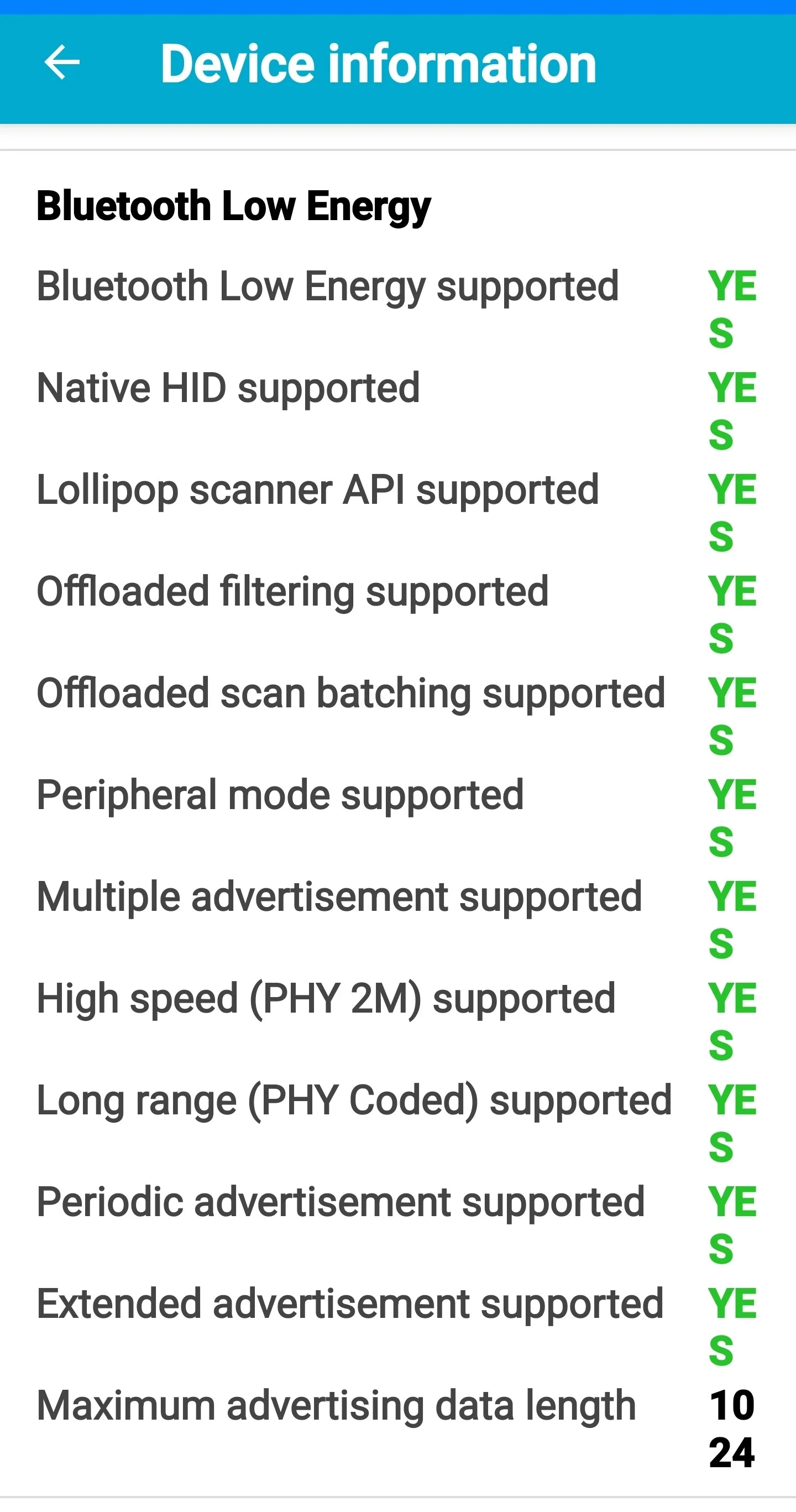
I don’t get the green “yes” like the rest of the information in the screenshot, I don’t get the “red” no either.
You’re ignoring this member’s posts.

I found the app and installed it easily enough in the app store (iPhone) but don’t see in the app where the bt capability status is
Perhaps it’s part of Apple just keeping developers locked out of core hardware features. In Android, developers have access to stuff like battery temperature. In iOS they don’t. I’ve requested several battery features for iOS battery manager apps and, IIRC, the usual developer reply is that Apple doesn’t let us access that parameter…
I don’t get the “red” no either.
With a Galaxy Note 8 running Android 9, I get the Yes’s in green, the No’s in red. Maybe it’s one of those things that’s affected by Android OEM customization?
You’re ignoring this member’s posts.

I don’t get the green “yes” like the rest of the information in the screenshot, I don’t get the “red” no either.
@tenkan :You probably just need to reduce the font size in your phone’s general settings for display.
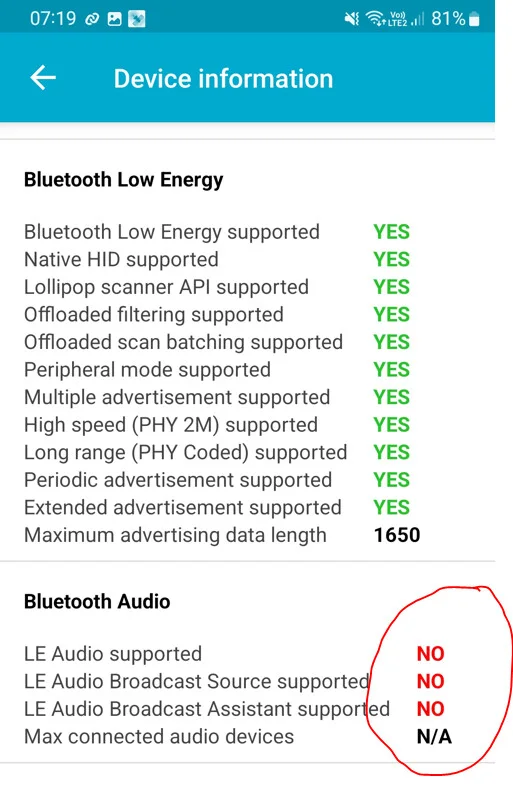
I get this with my Samsung S22:
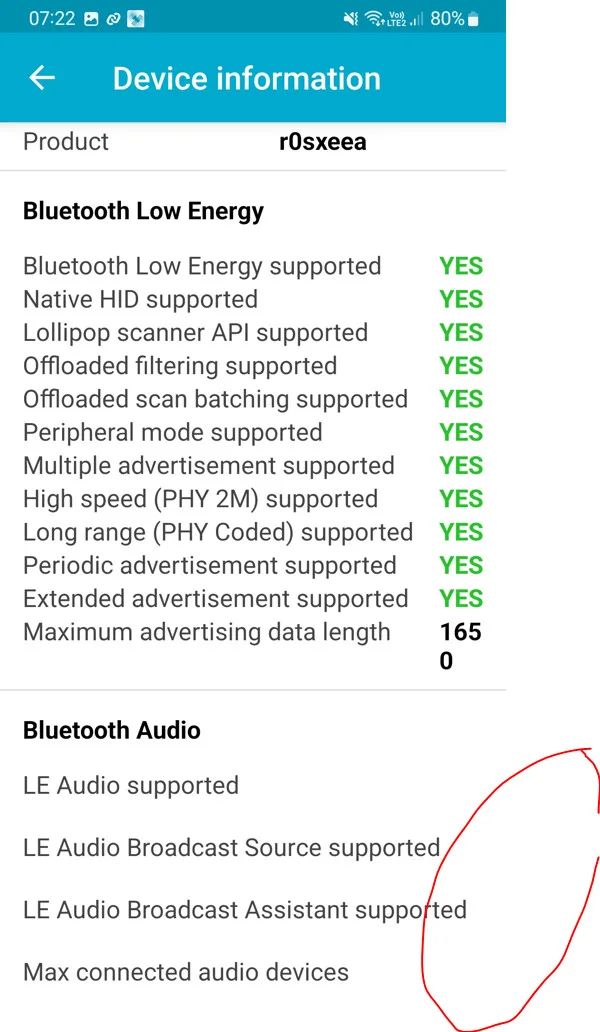
If I change to a larger font in the settings the YES/NO are not visible anymore:
You’re ignoring this member’s posts.
You’re ignoring this member’s posts.
Log in to reply to this topic.
Hearing Aids16 replies
Hearing Aids25 replies
Hearing Aids20 replies
Hearing Aids95 replies
Hearing Aids174 replies
 Surrey, UK
 Rural New England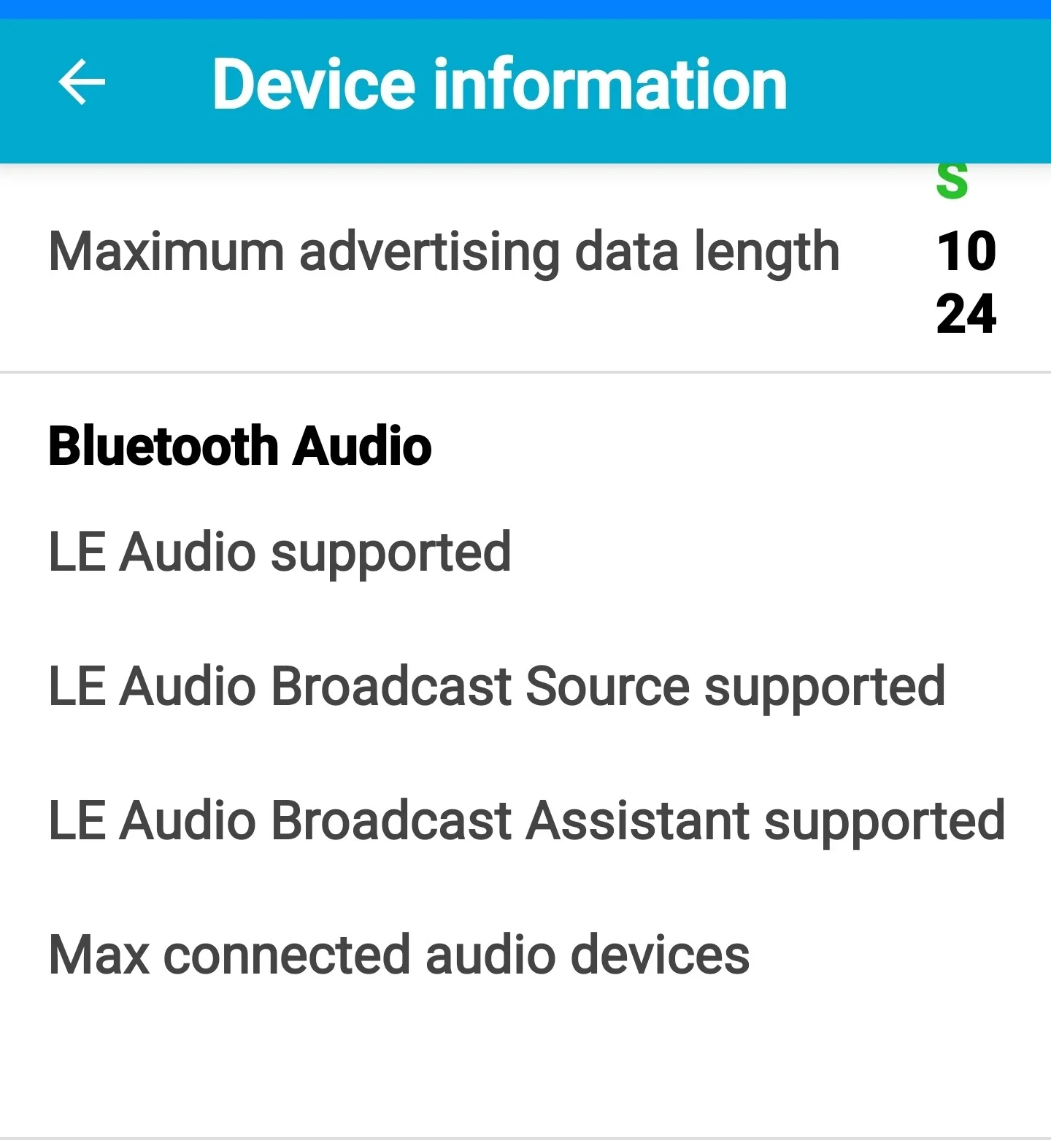

 Switzerland