Samsung Galaxy A52 that had Bluetooth 5.0, it constantly dropped one or both hearing aids. And to get it back usually restarting Bluetooth on the phone would get the app to connect again. Under the phones Bluetooth settings it always showed the aids were connected but the app could not see them.
Sounds a lot like my Pixel 7 Pro with Bluetooth 5.2. The phone would see and be connected to the aids while the app may or may not. Even weirder when the BA210 is streaming sound from the TV to the aids via and the app doesn’t see the streamer and/or the aids.
I have not bought the jabra streamer+ for the TV yet, but it is on the list of things to pickup.
I am having a similar issue with my new 6 month old Asus PC that only has Bluetooth 5.2 it does not even see the hearing aids to pair at all. So not sure it is even possible to connect the two.
Hi everyone,
I’m Phoebe from Avantree, and we design LE Audio / Auracast transmitters like:
C82 Aura (for phones, laptops via USB-C)
Voyager (portable, 3.5mm for travel)
Audikast 4 (for TVs – optical + AUX)
We’re seeing excellent real-world results with Beltone Serene, ReSound Nexia, and Jabra Enhance Pro 20, which support Auracast natively—no app or phone needed.
But many customers ask us about Phonak, Oticon, Signia, Rexton, and Philips HearLink—all of which are labeled “Auracast-Ready” b…
First, I’d like to thank @d_Wooluf for introducing our FMA120 as an Auracast and LE Audio transmitter last year. Without that introduction, we might never have discovered this wonderful place to connect directly with our customers.
Since we launched the FlooGoo FMA120 in November 2023 on Amazon, we’ve received tremendous feedback from early adopters of LE Audio and Auracast, especially from the hearing aid community. As with any new technology, Auracast faces some compatibility challenges, an…
I have Jabra Enhance Pro 20 aids and a Samsung Galaxy S25 Ultra phone, both of which support Auracast, and I have been experimenting for several weeks with both my aids and also with both Samsung Buds 3 Pro and Sony Libkbuds S earbuds.
To do so, I purchased and tested 6 different Auracast transmitters on 2 different Windows computers. Here are some of my findings to date:
Of the 6 transmitters, only 2 work with my aids, 3 work with the both brands of earbuds but not the aids, and 1 doesn’t see…
I found this link to GN that gives a QR code you can scan to check compatibility.
I unboxed my new Pixel 8 Pro, spent the better part of a day transferring data & doing all the updates. Scanning the QR code says that I am not compatible, yet the phone shows up in their compatible list.
I am initially seeing some differences in how things work. Before switching while using with the BA210 and my TV I could control L & R volumes independently, now they seem linked. A change one automatically changes the other so I can’t set a “balance”.
There is an ice storm rolling in later today, that should give me some time to play around.
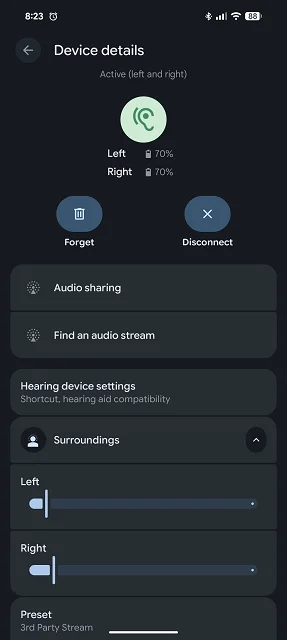
In the app, if you look to the right of the volume slider, you should see an icon based on 2 parallel horizontal lines. If you tap the icon, you should get 2 volume sliders, one for each ear. Or did you already know that?
I did thanks. On my Pixel 7 Pro (Android 16) I could move the L & R sliders independently on the Pixel 8 Pro if I move one the other will move in tandem as if it is tied to the other.
I don’t use Android, so don’t know about that for sure.
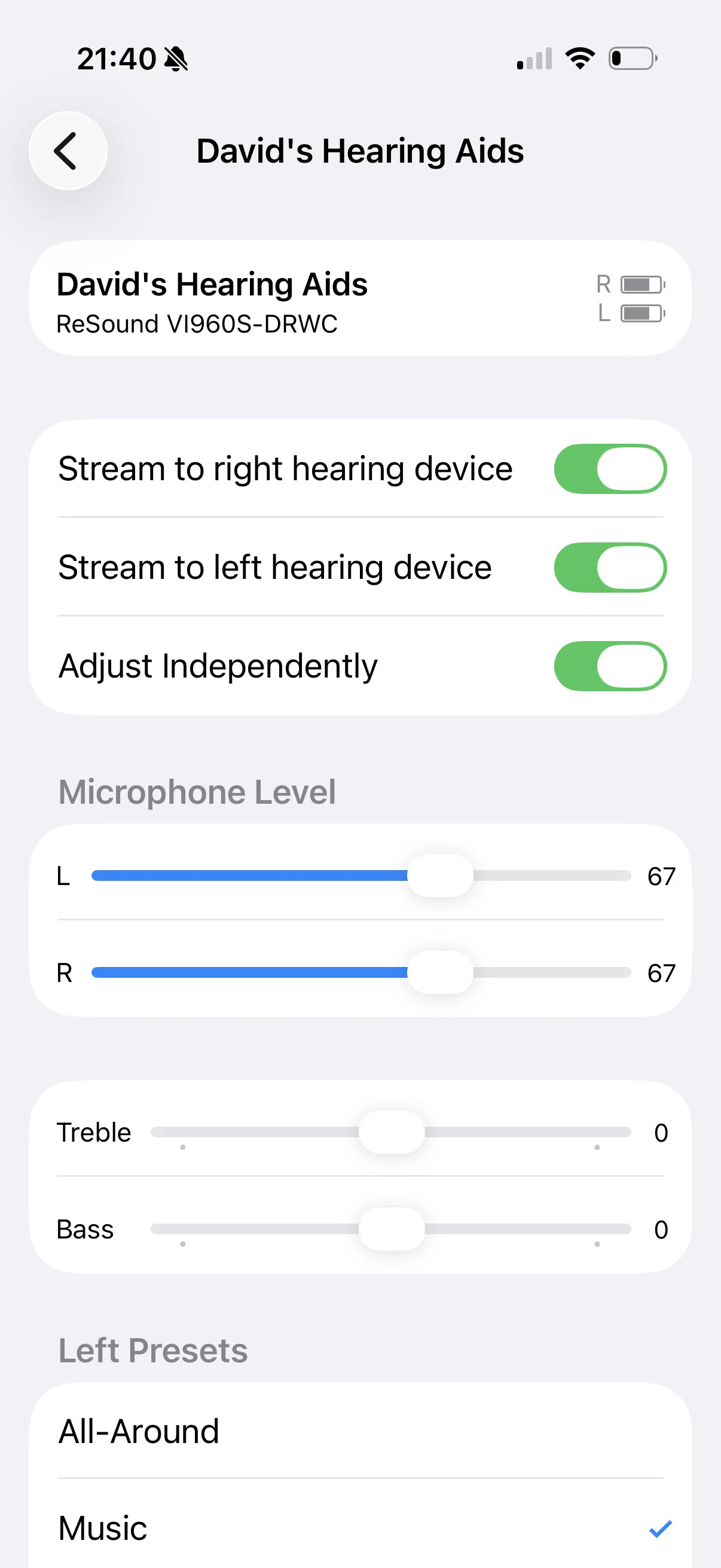
But in IOS there is a setting which allows you to choose whether they adjust together or individually. It’s right there in the screen in settings when you pair the EP20 hearing aids to the phone. Probably Android has the same setting and you just need to select it?
Same equipment and versions. A few weeks ago, my Jabra.app acted the same, but now Pixel 8 with Android 16, December update and Jabra.app 1,41,0 the behavior is back to respecting the split.
Find compatibility information for Jabra Enhance Pro hearing instruments and see the full list of compatible iOS and Android devices.
@david.hendon thanks for the suggestion, I dug down through a number of settings and have not found anything similar yet.
What I can say is that there is a huge difference in Bluetooth connectivity moving up from the Pixel 7 Pro to Pixel 8 Pro. Simple things like watching the status changes placing the aids into the charger are now almost instant where on the 7 Pro one or both aids would show as disconnected.
On my Pixel 7 Pro (Android 16) I could move the L & R sliders independently on the Pixel 8 Pro if I move one the other will move in tandem as if it is tied to the other.
Point of clarification, that was for the sliders for . The volume sliders for surrounding did work separately.
I made a discovery today. If I use 2 hands and put one finger on each of the L & R sliders for Auracast I can control the volume separately. To keep the separate balance the trick is both fingers have to be lifted off the screen at the same time.
Subsequently trying to adjust the Auracast volume by using the volume button on the phone will tie the L & R sliders together again, losing any preset balance.
(multiple edits due to formatting & spelling errors)
Another Edit April 01, 2026 (the board will not let me post again until there is a reply)
Today everything is different when streaming Auracast.
I think it may have to do with a recent update to the Enhance Pro App (version 1.43.1) Google Play says it was last updated March 4, 2026. Phone is a PIxel 8 Pro.
The ability to control the volume for L & R separately via the sliders has returned. Using the phones volume button has no effect on the sliders or volume at all.
Another edit: April 03, 2026 I’ve discovered that Ihe sliders / volume buttons change is linked to a LE audio toggle in the settings. In Android 16 => slide down from the top => select bluetooth => select the gear beside the hearing aids => Toggle making changes is Experimental. Improves audio quality.
This toggle setting affects the slider and volume button controls while using the Enhance Pro app.
I am currently working with Google Disability Support trying to determine what the problem the frequent disconnections might be. They have me doing a Bluetooth HCI snoop log through developer options.
Disability support finally sent me a response to my submissions yesterday. Essentially they said the Pixel 7 Pro is not compatible. The quote below is taken from their email response.
The internal team provided an update regarding this case, and here’s the details:
According to the internal team, the issue is tied to a specific firmware-level update needed for the Pixel 7 Pro to fully support the compatibility required here.
The Pixel 7 series has reached the stage in its lifecycle where it is no longer receiving new Bluetooth firmware updates. Moving forward, the software support for this device will be primarily focused on essential security patches.
Because the fix for this specific LE Audio compatibility requires a firmware update that is no longer available for the Pixel 7 Pro hardware, However, we are unable to implement a resolution at this time.
So the Pixel 7 Pro is not fully compatible with the Jabra Enhance Pro 30.
In my response, I mentioned that I was having some minor issues with streaming on my new Pixel 8 Pro. They further responded with four links to some Auracast resources. If anything pans out from that, I will create a thread with the links.
Edit on April 1, 2026 - see my post Jan 25, 2026 above. the board is not letting me add additional posts until there are replies to this thread. The March 4, 2026 update to the Enhance Pro App has brought back functionality to the sliders using Auracast and broken control using the volume buttons on my Pixel 8 Pro
Would you happen to know how this feature can be adjusted or what it’s called in the software? The specialists at my Costco have never even heard of this problem.
The one Flyboybob was describing at the start of the thread: Whenever there is a stable background noise (e.g. running water, road noise, air conditioning, sizzling bacon, etc.), the hearing aids switch into some other mode. The audio seems to become compressed or with normalized volume across all sounds. It sounds as if I’m listening to a fuzzy radio station with mono headphones. Sounds picked up by one hearing aid play in both ears, background noise is amplified, voices are very loud but robotic-sounding.
Sometimes it’s useful in the precise environment that mode kicks on, but it doesn’t seem to ever switch back to the original mode.
My hearing aid specialist only gave me two programs: All-Around and Hear In Noise. This phenomenon only happens in All-Around, and it sounds completely different to the Hear In Noise program, so it’s definitely not that.
Ok it’s the Environmental Classifier/Environmental Optimizer II there’s a number of adjustments that can be made in SmartFit, get you Audiologist to read the white paper here, should be helpful for him.
Actually the cause of this effect in All-Around isn’t the Environmental Optimiser settings, although that can have a big impact on how any particular program (or “card” I believe Jabra call them) sounds. It’s actually caused by the default setting for the directionality, which tries to respond to noise by altering the gain in one ear or the other.
The audiologist can change the directionality setting for All-Around easily in the fitting software. Personally I prefer to have it give me noise from all directions equally. I think it’s called Omni or something like that. (I can’t go and look at the software for a few days, but that should give your audiologist something to go on).
You can have four programs (or cards) in the EP30, so you could ask the audiologist to give you a second copy of All-Around, with the Omni directionality setting. Then you could try both, changing between them with the app or by pressing the button in the hearing aid, if it’s set up that way.
I trialed the Jabra EP30s from Costco last year & found many problems with the Jabra app (on Pixel 8a which is supposedly fully compatible). The first propsed solution (Jabra via Costco) was to turn off all mobile notifications - two problems with this, firstly I rely on notifcations for a few things & secondly, it didn’t work. One problem was an end of streaming seemed to set the app into a ‘split screen’ mode showing both streaming & normal operation - the only way to clear this seemed to be to turn the Pixel off & back on (a little inconvenient several times a day!). Another issue was it would occasionally show one or other disconnected (again Pixel off/on was the only reliable way to clear this). Essentially use of my mobile was being restricted by the Jabra app. The HAs themselves, apart from a slightly tinny sound quality seemed quite capable apart from the issues with the control app. I decided the Jabra app on Android was not fit for purpose & ended the trial.
One problem was an end of streaming seemed to set the app into a ‘split screen’ mode showing both streaming & normal operation - the only way to clear this seemed to be to turn the Pixel off & back on (a little inconvenient several times a day!).
I think Resound doesn’t really know the 7a/8a,9a and pssibly the 10a capabilities. The ‘a’ series do not do , but all Resound says is that you can use tap control, IIRC.
OTOH, if you get the split programming (one in ‘normal’, the other in ‘streaming’), you may be able to fix the problem by using the Android 16 HA app. Pn my ohone, I’ll see the presets accurately, and I can make them consistent. A pita, of course, but les of one than having to reboot the phone.



 Surrey, UK